
Tenant Backup
Recovery for the way your Microsoft tenant is configured
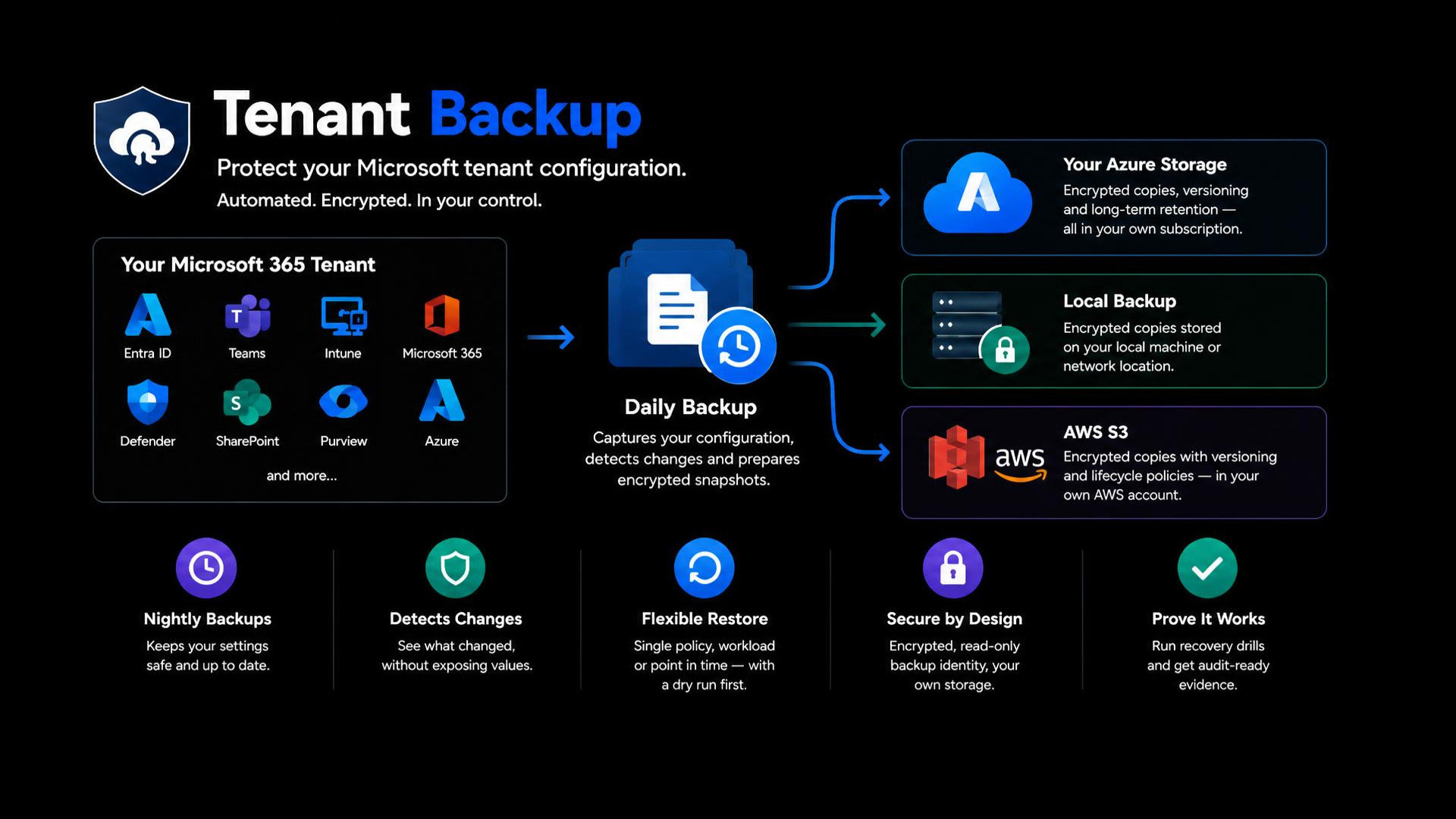
A tenant is only as safe as its settings. Conditional Access, device policies, mail-flow rules, retention, data-loss prevention, Teams and SharePoint controls and Azure policy decide who can sign in, what they can reach and what is protected. One wrong change, or one compromised administrator account, can undo years of careful work, and for most of these settings Microsoft's built-in tools give you no restore point. Tenant Backup captures that configuration every night, tells you exactly what changed, keeps encrypted copies in your own Azure storage, and restores a single policy or a whole workload to a point in time you choose, with a dry run first.
It runs inside your environment. UNIFYING has no access to your tenant or your backups.
What it does
Backs up your configuration every night
Around 300 settings across Entra ID, Intune, Microsoft 365 and Defender, Exchange Online, Teams, Purview, SharePoint, Azure and Microsoft Sentinel, saved as dated snapshots with one readable file per object.
Shows you what changed, never the values
A change report after every run lists the objects added, removed or changed and which properties moved, without exposing the settings themselves, so it is safe to e-mail and safe to review.
Restores with a dry run first
Choose the latest good copy, a moment in time, one workload or one policy. Only what drifted or was deleted is touched, nothing is ever deleted, and the current state is saved before anything is applied.
Keeps copies outside the machine that makes them
Each snapshot is encrypted (AES-256-GCM) and sent to storage in your own Azure subscription, with versioning and soft delete, so earlier copies survive accidental or malicious deletion for the retention period you set (30 days by default).
Read-only by design
The scheduled identity signs in with a certificate and holds no write permission. Anything that can change the tenant is a separate application or an administrator signing in for that task.
Tells you when a night is missed
A summary e-mail follows every run, and an alert inside Azure fires if no backup copy has reached your storage for 26 hours, whatever the cause.
Lets you rehearse recovery
Ready-made restore drills create a harmless test object, restore it and remove it, so you can prove the process in your own tenant before you need it.
Rebuilds after losing the host
The toolkit itself is copied, encrypted, to the same storage, so a replacement machine can be brought back from the copy and your passphrase.
What it covers
- Entra ID (Conditional Access, authentication methods, named locations, roles, administrative units, cross-tenant access)
- Intune (configuration, compliance, Autopilot, update profiles, scripts)
- Microsoft 365 and Defender XDR
- Exchange Online and Defender for Office 365 (mail-flow rules, connectors, anti-phishing, Safe Links and Attachments)
- Teams policies
- Purview (labels, DLP, retention, alert policies)
- SharePoint
- Azure policy, roles and Defender for Cloud
- Microsoft Sentinel rules, watchlists and playbooks
- Power Platform and Power BI inventory
- Defender for Endpoint indicators
What you get
- A restore point for your tenant's configuration that an auditor can be shown
- Unauthorised or accidental changes found the next morning, with the property that moved
- A single policy, a workload or a point in time brought back, with a preview before any change
- Encrypted copies in storage you own and control
- Evidence that recovery works, from drills you run yourself
What it does not do
Tenant Backup protects configuration. It does not back up mailboxes, files, chats or site content, and it does not provide content search. Use a data backup product for those; the two work side by side. A short list of settings Microsoft exposes no interface for (for example Defender for Cloud Apps policies and Defender for Identity settings) comes with a manual checklist.
Requirements and licensing
Windows with PowerShell 7.4 or later, the Microsoft PowerShell modules listed in the prerequisites, and an Azure storage account for the encrypted copies. Licensed per seat: one seat for each named Global Administrator of the licensed tenants. Updates and support are as agreed in your order.
Questions
- Does UNIFYING see my data?
- No. The software runs in your environment and sends nothing to UNIFYING. Snapshots and encrypted copies stay on your machine and in your storage.
- Can it change my tenant?
- The nightly job cannot. A restore changes only what you choose, run by an administrator signing in, after a dry run.
- What if we lose the passphrase?
- The encrypted copies cannot be read by anyone, including UNIFYING, so keep it in your password manager.
- Does it replace Microsoft 365 backup of mail and files?
- No. It protects how the tenant is set up; a data backup protects what people store in it.
- How do we know a restore works?
- Run the included restore drills, which prove it with throwaway objects in your own tenant.